How can we help you today?
Search articles, watch tutorials, or browse by topic below.
Quick guide to
getting started
Take a quick tour of the redesigned Vidversity interface and learn how to build your first course.
Browse by category
Getting Started
Set up your account, navigate the new interface, and get your first course live.
Building Courses
Add lessons, upload videos, structure your content, and use the course builder.
Publishing & Delivery
Share courses with learners, manage enrolments, and set up delivery options.
Vidversity Plus, coming soonPLUS
Coming soon: AI feedback tools, advanced analytics, expanded video submissions and more.
Admin & Settings
Manage users, permissions, branding, integrations, and your account settings.
Tips & Tricks
Shortcuts, best practices, and pro moves for getting the most from the platform.
Popular video tutorials
All videos →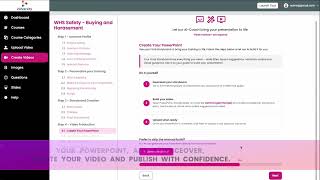
Introducing Vidversity PlusPLUS
An overview of the new AI feature developed with Swinburne University to create videos.
Quick guide to getting started
Getting started with Vidversity involves a straightforward 3-step process: capturing or uploading your video content, editing the recording into segments, and assembling an interactive course.
Building your first course
Step-by-step guide to creating a course, adding lessons and getting it ready for learners.
Popular articles
All articles →Still need a hand?
Ask our help assistant, or talk to a real person on the Vidversity team.